
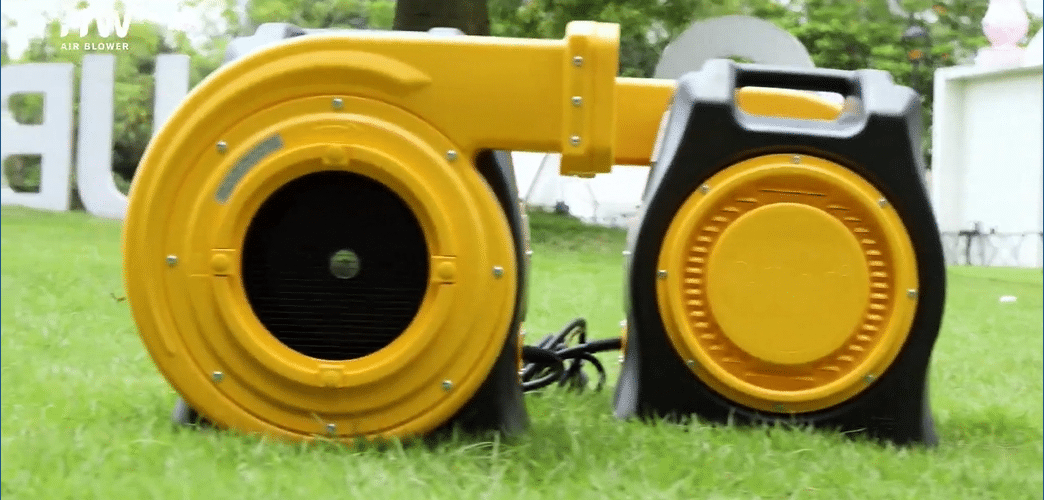
Troubleshooting Common Air Blower Issues: A Step-by-Step Guide
When operating air blowers for inflatables, encountering performance issues is sometimes unavoidable. Understanding how to troubleshoot common problems can help you address issues quickly and keep events running smoothly. Here’s a step-by-step guide to troubleshooting common air blower issues to maintain optimal performance and ensure a seamless event experience.
1. Blower Won’t Turn On
If your blower won’t start, begin by checking the power source. Confirm the power outlet is working by testing it with another device. Then, inspect the blower’s power cord for any visible damage or fraying. If you’re using an extension cord, ensure it’s compatible and rated for the blower’s power requirements. For added safety, connect the blower to a Ground Fault Circuit Interrupter (GFCI) outlet to prevent electrical hazards.
2. Reduced Airflow or Weak Inflation
Weak airflow can be caused by blockages or leaks. Start by checking the air intake and outlet for debris, such as leaves, dust, or grass, which may be restricting airflow. Clear any blockages with a soft brush or compressed air. Next, examine the inflatable for any leaks or loose connections at the intake sleeve, as air escaping can reduce overall pressure. Tighten any loose connections and test the blower again.
3. Overheating and Automatic Shutoff
Many blowers come with temperature regulation features that automatically shut down the blower if it overheats. If your blower is shutting off unexpectedly, it may be due to restricted airflow or a high ambient temperature. Ensure the area around the blower is clear, allowing for proper ventilation. If the problem persists, let the blower cool down for 10-15 minutes before restarting. Positioning the blower in the shade can also help manage its temperature during hot weather events.
4. Unusual Noises During Operation
If the blower is making unusual sounds, such as rattling, grinding, or squealing, it may indicate loose or worn components. Turn off and unplug the blower, then inspect for loose screws or fasteners on the exterior. Check the fan blades for debris or potential damage, as objects lodged in the blower can create noise and reduce efficiency. Tighten any loose screws, clear out debris, and replace damaged parts if necessary.
5. Blower Vibrates Excessively
Excessive vibration can be caused by an imbalance in the fan blade or a misaligned motor. Inspect the fan blades to ensure they are intact and securely fastened. Damaged or unbalanced blades may require replacement to prevent further vibration. Additionally, make sure the blower is placed on a flat, stable surface, as uneven ground can amplify vibration and affect performance.
6. Frequent Power Tripping
If the blower is causing the circuit to trip, it may be drawing more power than the outlet can handle. Try plugging the blower into a dedicated circuit to reduce electrical load. Check the power cord and extension cord ratings to ensure they match the blower’s requirements. If the blower is consistently tripping circuits, consider using a power source with a higher amp capacity.
7. Blower Emits a Burning Smell
A burning smell can indicate an overheating motor or electrical issue. Immediately turn off and unplug the blower, then allow it to cool completely. Check the blower for any obstructions that may be causing the motor to overwork. If the smell persists after cooling, the motor may be at risk, and you should contact a professional technician for further inspection before continuing use.
8. Inconsistent Air Pressure
If the blower’s airflow fluctuates, this could be due to an inconsistent power supply or motor issues. Ensure the power source is stable and that the blower is securely connected. If using an extension cord, make sure it is rated for outdoor use and capable of handling the blower’s power. Inconsistent air pressure may also signal that the blower requires maintenance, so consider scheduling a professional checkup.
9. Blower Keeps Shutting Off Randomly
Random shutoffs can result from overload protection kicking in to protect the blower. This feature is designed to shut down the blower if it senses unsafe conditions. Check for blocked air vents or a dusty filter that could be restricting airflow. Clean any debris and try using the blower on a lower power setting if available. If shutoffs continue, consult the user manual or contact a technician to diagnose the issue.
Conclusion: Quick Troubleshooting for Reliable Blower Performance
With this guide, you can troubleshoot common air blower issues effectively, ensuring that your equipment runs smoothly and your events go off without a hitch. Regular maintenance, checking connections, and keeping the blower clean are key to preventing many of these issues from occurring. By following these steps, you can quickly identify and resolve problems, providing reliable and safe inflatable experiences for your clients.
Implement these troubleshooting techniques for your Huawei air blowers to keep them in top condition, delivering dependable service for every event.